AI call script in 30 minutes — step by step
CallBotAgent onboarding is designed for a merchant who has never configured an AI Voice Agent. 30 minutes is realistic from trial signup to first test call. We show how to split this time across 4 steps and what to prepare beforehand.
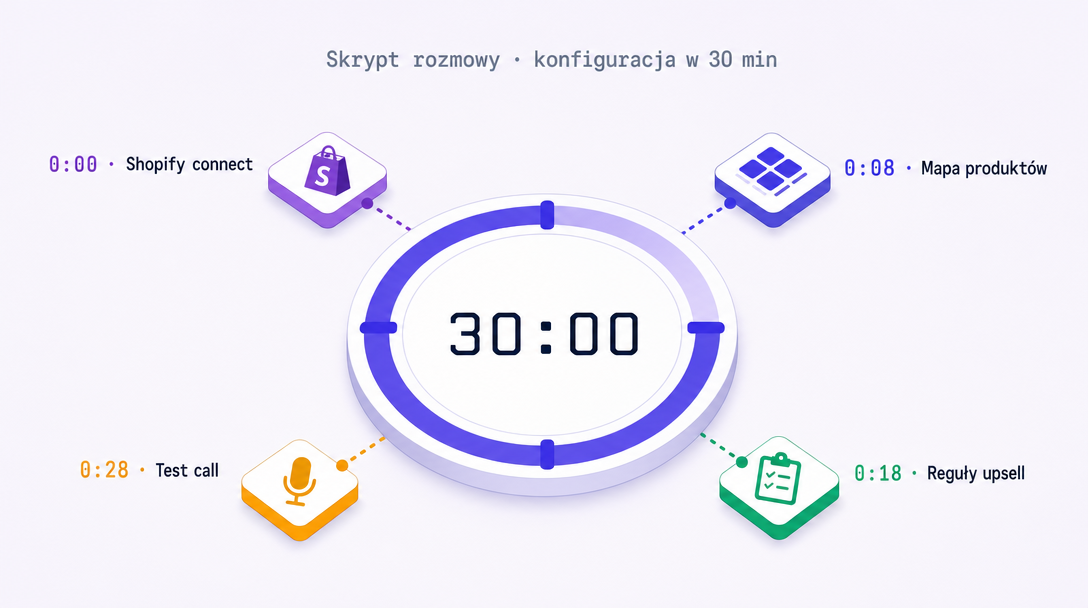
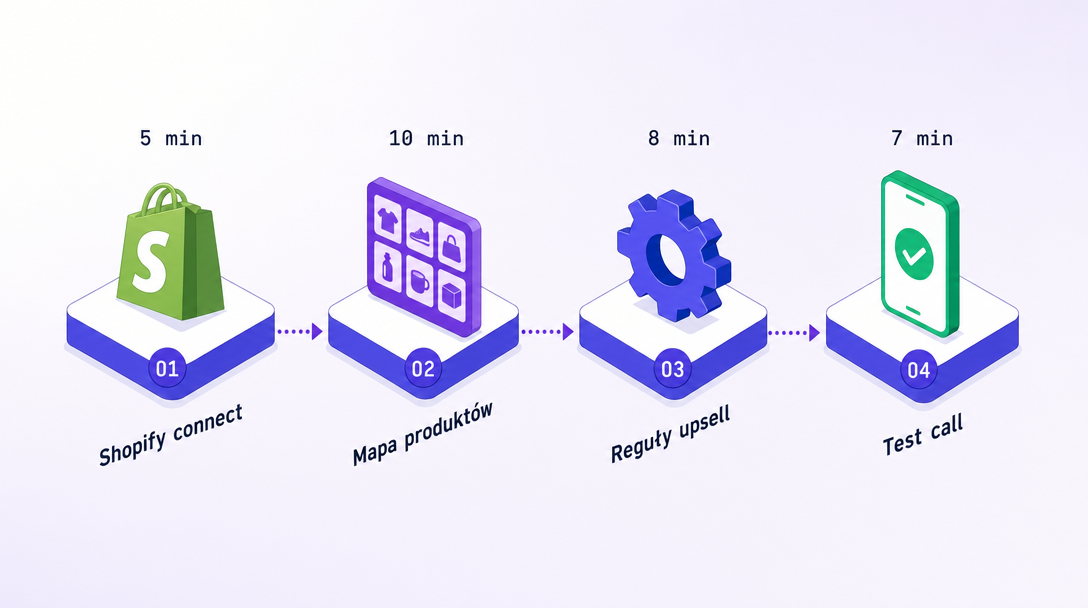
30 minutes isn't marketing — it's real time measured on last 5 onboardings. Split: Shopify connect 5 min, product map 10 min, upsell rules 8 min, test call 7 min. Most common friction: missing size chart or missing product metadata. Prep these two and time drops to 22 min.
- 4 steps: Shopify connect → product map → upsell rules → test call.
- Real time: 30 min for new store, 22 min for prepared.
- Friction #1: missing product metadata (size chart, category, label).
- Test call after 30 min is mandatory step before live.
OAuth Partners flow: 5 minutes, 3 screens
First step is connecting Shopify via standard OAuth Partners flow. We're not listed in Shopify App Store (different distribution model — Q1 2026 startup). Connect via direct link from our onboarding.
Three Shopify screens (login → store choice → scope acceptance) — standard OAuth. Scopes we request: read_orders (for confirmation), write_orders (for status update post-call), read_products (for product map + cross-sell).
After connect, system auto-syncs product catalog (usually 2-5 min for catalogs up to 1000 SKUs). Sync is incremental — subsequent catalog changes come via webhook in real-time.
Map category → script per category
Product map is a table: Shopify category → script variant. For most pilots, 3-5 variants suffice (e.g. 'color cosmetics', 'skincare', 'accessories', 'premium-bundle'). Each varies in greeting tone and cross-sell rules.
Stores with complex catalogs (multi-brand, multi-category) get more options via Product Catalog (Starter+): per-brand script, per-collection, per-tag rules. This is overengineering for most pilots — start with 3 variants, expand later.
Most common friction here: products without category (go to default script, lose personalization) and missing size chart for fashion (blocks size verification, see separate article).
Configure upsell map — simple tables, frozen rules
Upsell rules are a table: trigger product → suggested product → accept threshold. Plan Starter has 1 rule type (upsell in same category). Growth adds cross-sell. Scale adds per-product granularity.
Frozen rules (can't disable): one offer per call, offer price < trigger price, offer only on strong confidence signals. Frozen because each is data-backed, not designer preference. Full analysis in cross-sell article.
Wellness/supplements stores need legal sign-off before publishing. Scale+ has 'approved by: [lawyer name]' field in panel (frozen). Starter/Growth has 'I confirm content is legal-OK' checkbox — responsibility on merchant.
Test conversation: mandatory step before live
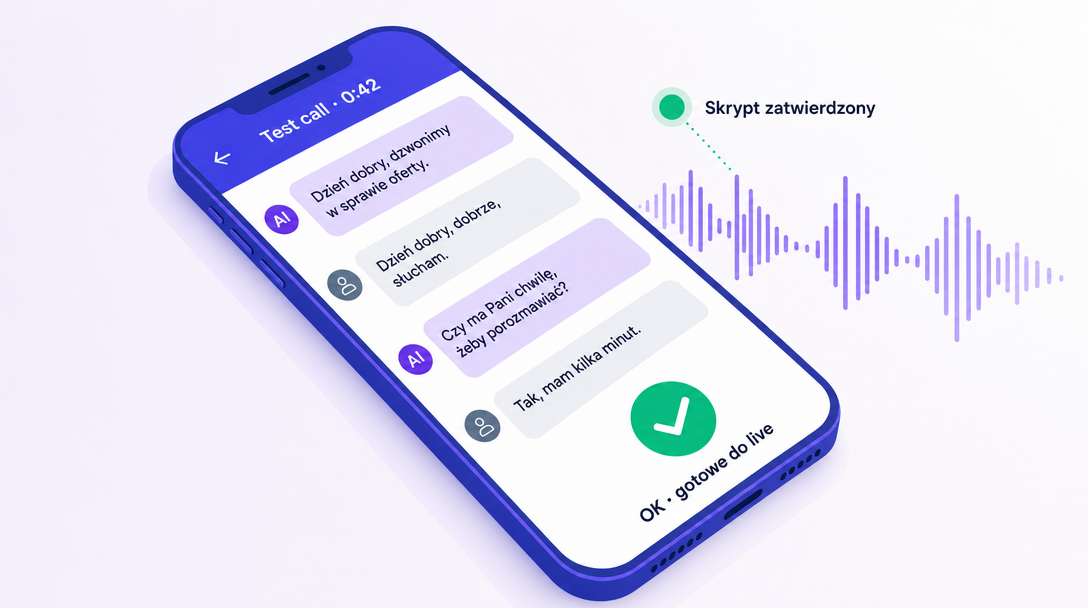
Last onboarding step: make a test call. AI calls a test number (usually yours), you play the customer role. Test shows 3 things: how greeting + script sounds, item/address verification, upsell rule execution.
Test call is mandatory — can't activate live without passing. Deliberate guard, because in pilots we saw skipping test leads to errors in first 20-30 real calls (mispronounced store name, missing data in script, wrong category in product map).
After test you have two options: activate live (calls flow from next order) or follow-up test after edits (if something sounded off). Second option usually adds 5-10 minutes but saves first 50 real calls from errors.
What to prep before onboarding (saves 8 min)
Most common 30-minute friction comes from missing Shopify catalog data. Prep these 3 things and time drops to 22 minutes:
- 1All products have assigned category (Shopify Collection). Without it, they go to default script, lose category personalization.
- 2For fashion: size chart in metadata.size_chart field. Required for size verification. Without it AI won't suggest.
- 3Test phone number (yours or team member). Test call needs real number. We don't use mocks — we want you to hear it.
Four things to remember
30 minutes is real time, not marketing. Split: 5 + 10 + 8 + 7 minutes. Measured on last 5 onboardings.
Product map = category → script. 3-5 variants suffice for 90% of pilots. Per-product is overengineering at start.
Upsell rules = simple tables. Frozen rules are data-backed. No '2 offers per call' checkbox.
Test call mandatory. Skipping = errors in first 20-30 real calls. Deliberate guard.
Ready to onboard?30 minutes to your first test call.
1,000 trial credits (~20 confirmation calls) · full access to your chosen plan · cancel anytime. Card required · no charge during trial · auto-activates on day 8.